Spullio is an inventory app for iPhone and iPad households that want everything in their own iCloud. Cratify runs on iPhone, Android and the web, built around your possessions, your collections and your household.
Free forever plan · iOS, Android & web · No credit card
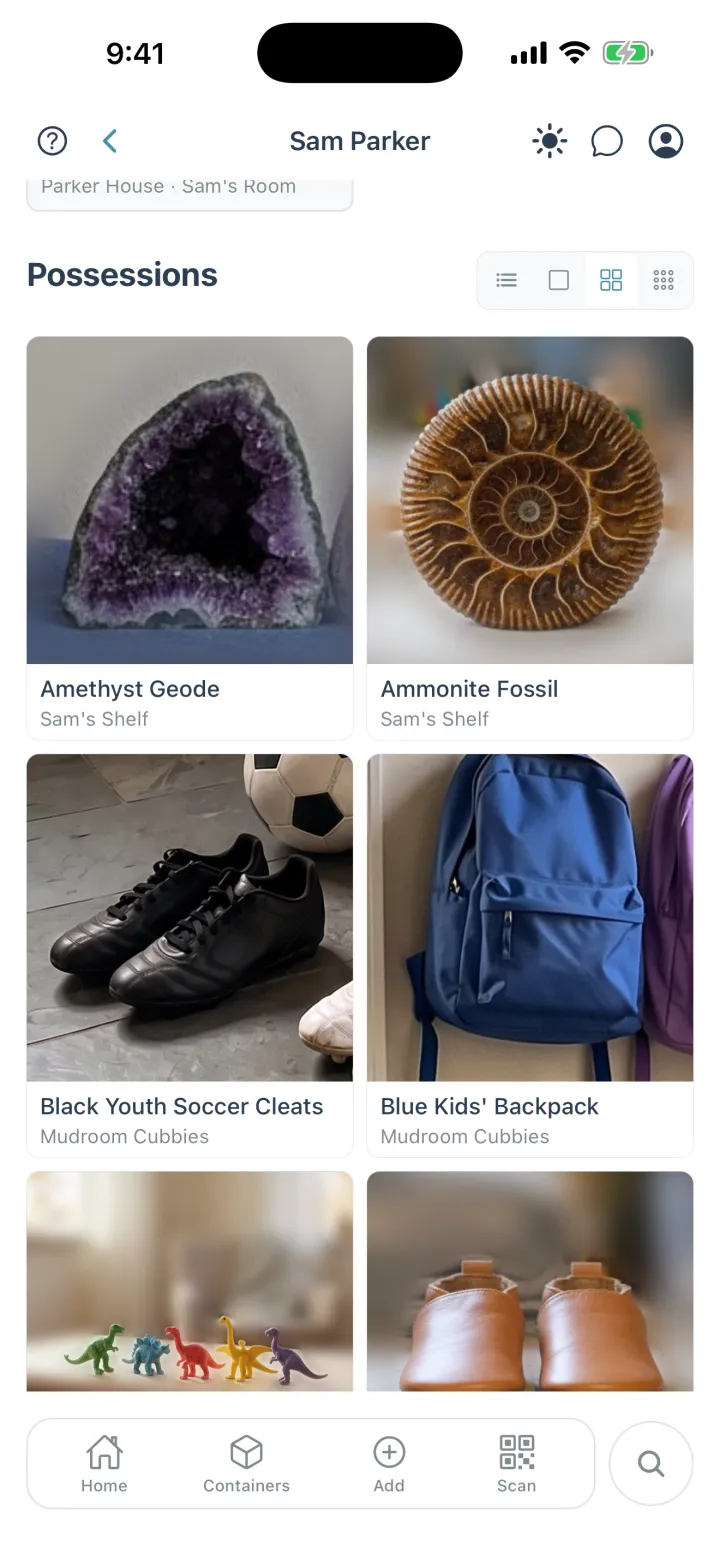
Everyone in your household gets a page with what's theirs, and where each possession is kept.
The short version
Where Cratify is different.
Both keep track of what you own, where it's kept and who you share it with. These are the three places they part ways.
Any phone, or the web
Cratify runs on iPhone, Android and the web, so everyone you live with can join. Spullio shares a household through iCloud with people who have an iPhone or iPad.
Free plan, then pay once
Cratify's Basic plan is free for up to 250 possessions with no time limit, and Lifetime is one payment. Spullio is free for a month, then a monthly or yearly subscription.
Scan what you wrote
With Handmarks, the name you already wrote on a container becomes the code you scan, and it opens with everything inside. Adding them comes with Lifetime.
Side by side
Cratify and Spullio, point by point.
Spullio's column comes from its own website and App Store listing, checked in October 2026.
Cratify compared with Spullio
What to check
Cratify
Spullio
DevicesWhere you and the people you live with can use it.
Apps for iPhone and Android, plus the web, all in sync.
iPhone and iPad with iOS 26 or later, and Macs with Apple silicon. Its web app and Android app close on Dec 31, 2026.
Account and storageWhere the inventory lives.
A Cratify account, with your inventory in Cratify's cloud. Private by default and visible only to the people you share with.
No account. Items, photos and documents live in your own iCloud, and the app works without internet.
Adding possessionsA whole home is hundreds of possessions. Entry speed decides whether you finish.
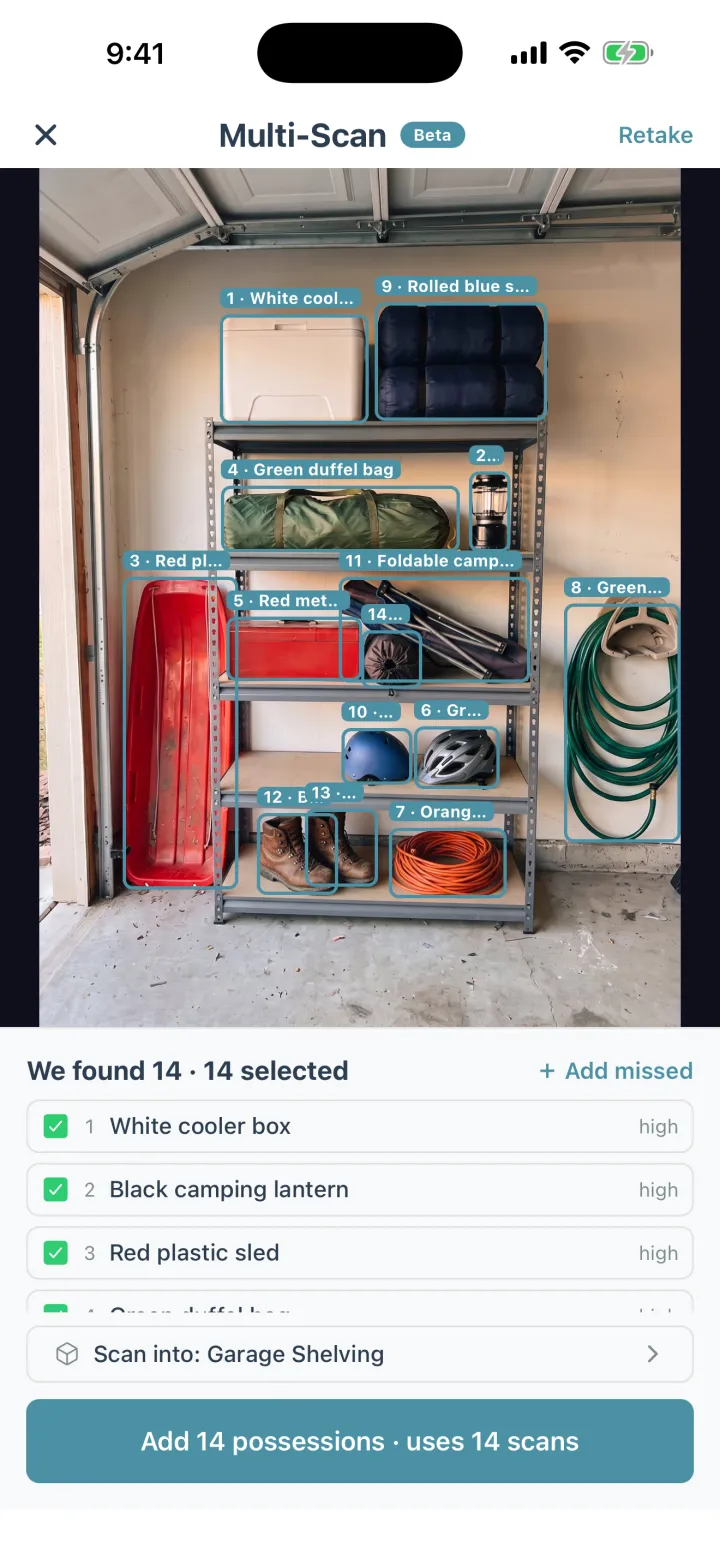
Snap a photo and AI names it, with a suggested category, description and tags. 50 AI scans a month free, unlimited with Lifetime. Multi-Scan names up to 15 possessions from one photo with Lifetime.
On devices that support Apple Intelligence, it suggests a name, brand and tags from a photo. With iOS 27 it can recognize several items in one photo. Barcode scans fill in known products.
Where it's keptReal homes nest: a container on a shelf, in a closet, in a room.
Containers inside containers, in rooms and places. Open any container to see everything inside it, all the way down, with totals.
Locations, and boxes inside boxes, as deep as you like.
Sharing with your householdEveryone who lives there should be able to look it up.
Share a location, a room or a single container, as editor or view-only, with people on iPhone, Android or the web. Included on every plan.
Share a household through iCloud with anyone who has an iPhone or iPad, as edit or view only.
Photos per possessionFront, back, serial number, receipt.
Up to 20 photos per possession with Lifetime.
Up to 10 photos per item.
Receipts and recordsPaperwork that belongs with a possession.
Save receipts and documents alongside your possessions, pull up just your receipts, and see totals in the currency you pick.
Receipts, manuals and warranties as attachments, plus brand, model, serial number and value, with warranty and maintenance reminders.
What it costsAs of October 2026.
Free for up to 250 possessions. Lifetime is $49.99 once, a launch price rising to $99 on Dec 1, 2026. It never renews.
Free for the first month. Then Spullio Plus at $2.99 a month or $24.99 a year on the US App Store. Without Plus, your own households become read-only.
Spullio was rebuilt for iPhone and iPad in September 2026, and details may keep changing. Its website has the current answers.
An honest take
Who should pick Spullio.
Spullio is a careful, private app from a small independent developer. For some households it's the better fit.
Pick Spullio if…
Everyone in your home uses Apple devices.
Your whole household is on iPhone or iPad, and you want the inventory in your own iCloud with no account or password.
You want it to work fully offline, with instant search on the device.
You lend possessions out and want return dates and reminders, or warranty and maintenance reminders.
You use widgets, Siri, Shortcuts and Spotlight, and want your inventory there too.
You'd like a PDF inventory for your insurer, or a ZIP export with a spreadsheet, photos and documents.
Pick Cratify if…
Your household mixes phones, or you'd rather pay once.
Someone you live with uses Android, or you want to use it on the web.
You want a free plan with no time limit, and one payment instead of a subscription when you need more.
You want to note whose each possession is, from the kids to the dog, with a page for each person.
You want collections that span rooms and places, like the camping gear or the holiday decorations.
You want to scan what you already wrote on a container, with Handmarks.
Both apps let you start free, so you can try each with a few of your own possessions before you decide.
Adding possessions
One photo. Every possession named.
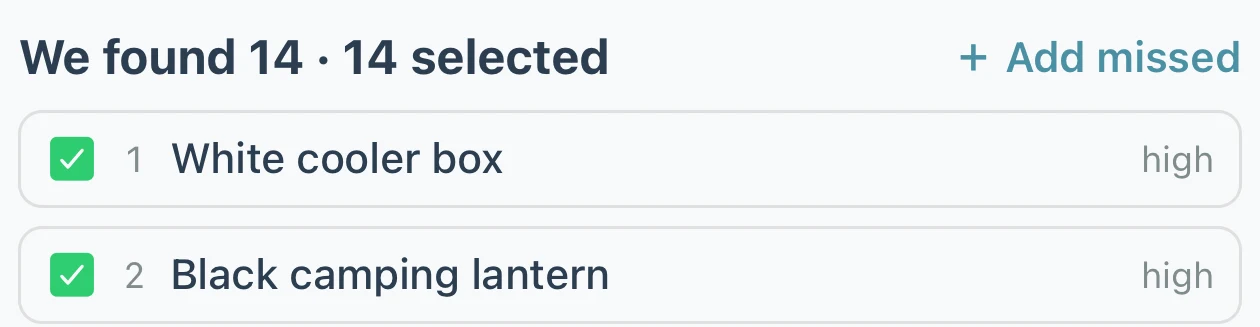
Point your camera at a shelf, a closet or a garage wall. Multi-Scan finds each possession in the photo, names it and files it in that container, and you can fix any name it got wrong.
One possession at a time works on every plan: 50 AI scans a month on Basic, unlimited with Lifetime.
Multi-Scan comes with Lifetime: up to 15 possessions from one photo.
Have three of the same possession? Set a quantity instead of adding it three times.
Pricing
Free to start. Pay once, own it forever.
Your home isn't something you rent month to month, and knowing what's in it shouldn't come with a monthly bill.
Basic
$0 / forever
Start organizing today, no credit card
Up to 250 possessions
Up to 50 containers
2 locations, 5 rooms
50 AI scans per month
Sharing with your household
Print QR codes, and scan Handmarks your household adds
New accounts can try Lifetime free for 3 days first, with no card and no automatic charge.
FAQ
Cratify vs Spullio, answered.
What's the main difference between Cratify and Spullio?
Spullio is an inventory app for iPhone, iPad and Apple silicon Macs that keeps everything in your own iCloud, with no account. Cratify runs on iPhone, Android and the web, so everyone you live with can use it on any phone, and it's built around your possessions, your collections and who owns what.
Is Spullio free?
Spullio is free for the first month. After that, Spullio Plus is $2.99 a month or $24.99 a year on the US App Store, as of October 2026. Without Plus, your own households become read-only: you can still view, search and export them.
Is Cratify free?
Yes. The Basic tier gives you 250 possessions, 50 containers, 2 locations, 5 rooms and 50 AI scans per month, free, with no time limit and no credit card. When you need more, Lifetime unlocks everything for one payment of $49.99 (launch price, rising to $99 on Dec 1, 2026).
Is Lifetime a subscription?
No. Lifetime is one payment that unlocks unlimited possessions and AI identification, Multi-Scan, adding Handmarks, product barcode scanning and every future feature. It never renews.
Can my household share the inventory?
Both can. Spullio shares a household through iCloud with anyone who has an iPhone or iPad, as edit or view only. In Cratify, you share a location, a room or a single container as editor or view-only, with people on iPhone, Android or the web, on every plan.
I use Spullio on Android or the web. What happens next?
Spullio says its web app and Android app close on Dec 31, 2026, with spullio.com becoming read-only on Dec 1, 2026. Cratify has apps for iPhone and Android and runs on the web, all in sync.
More comparisons
Weighing other options?
Start with what to check in any home inventory app, or pick another side-by-side.