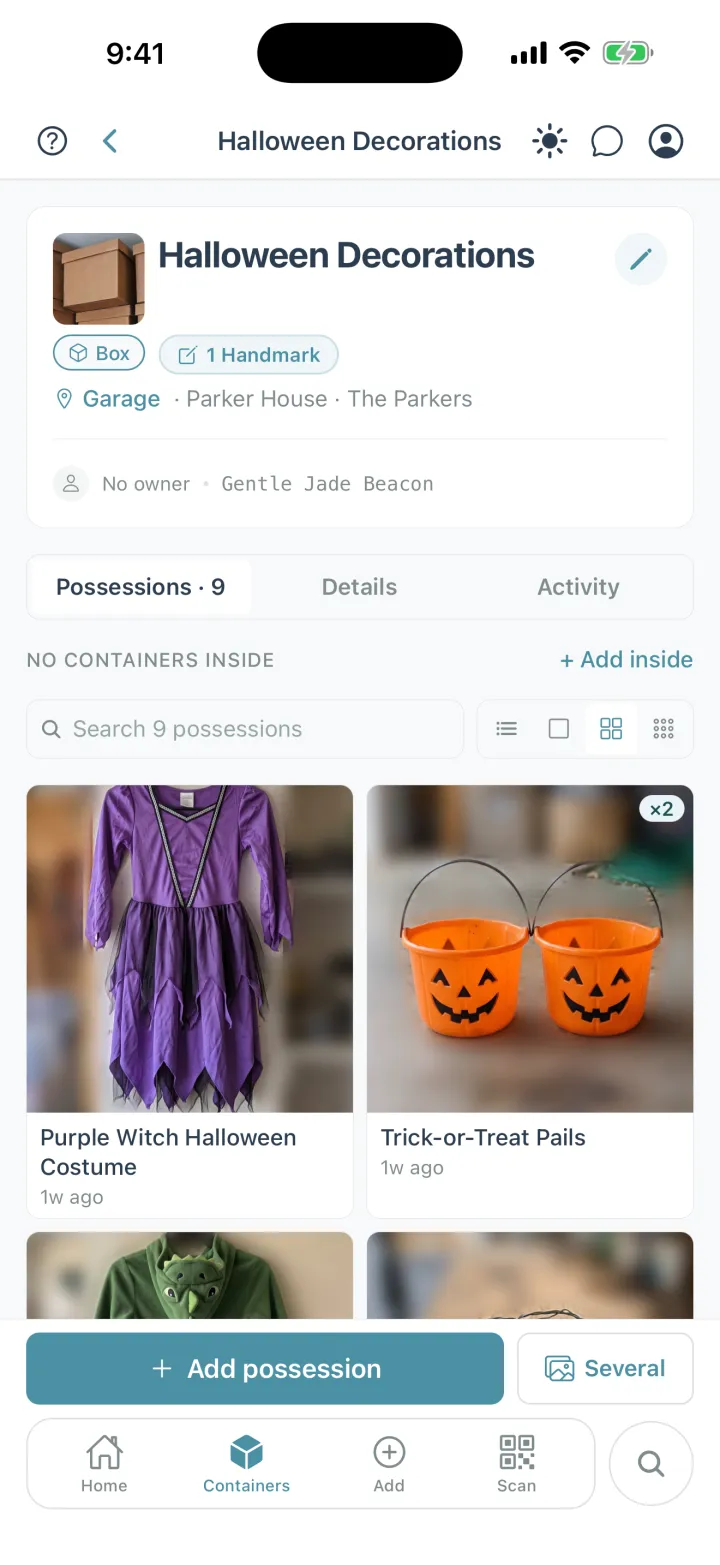
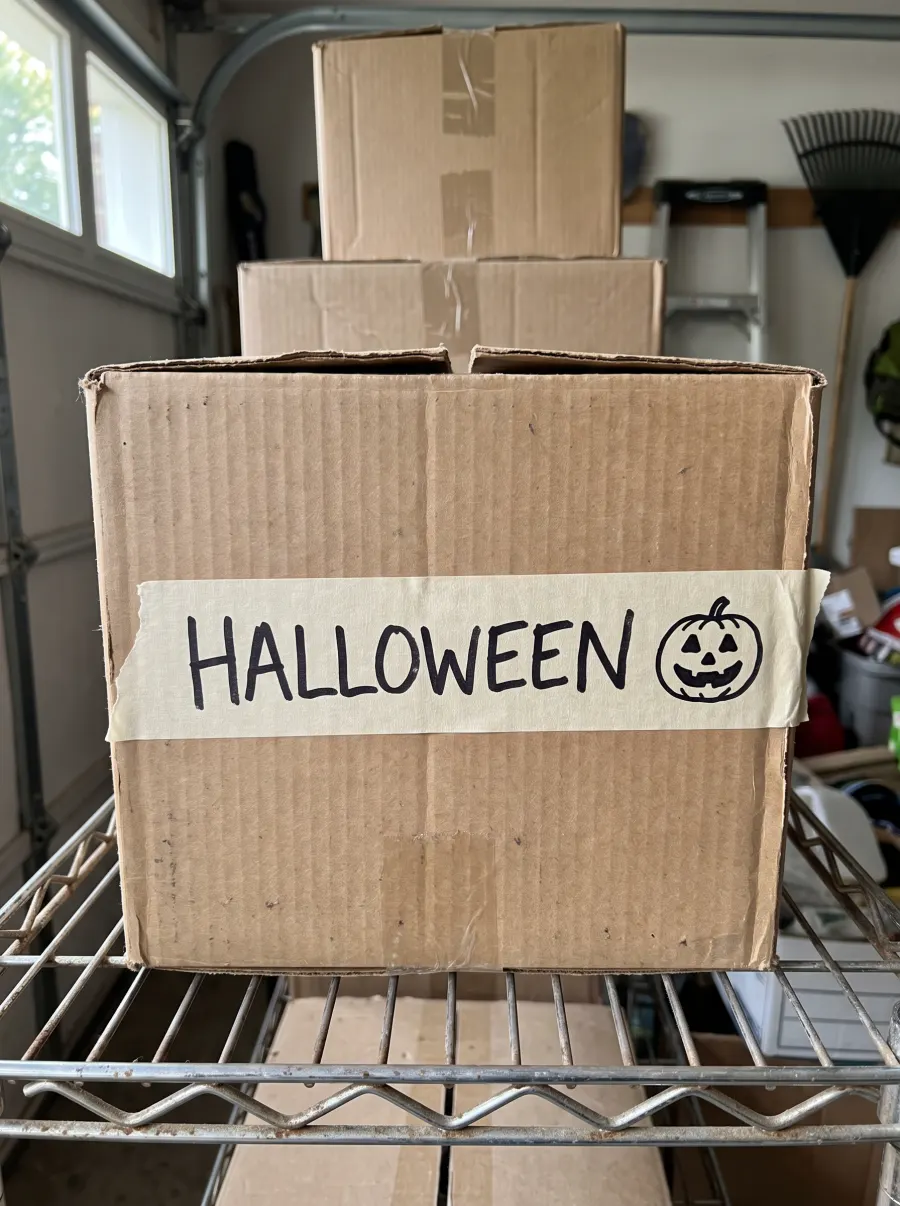
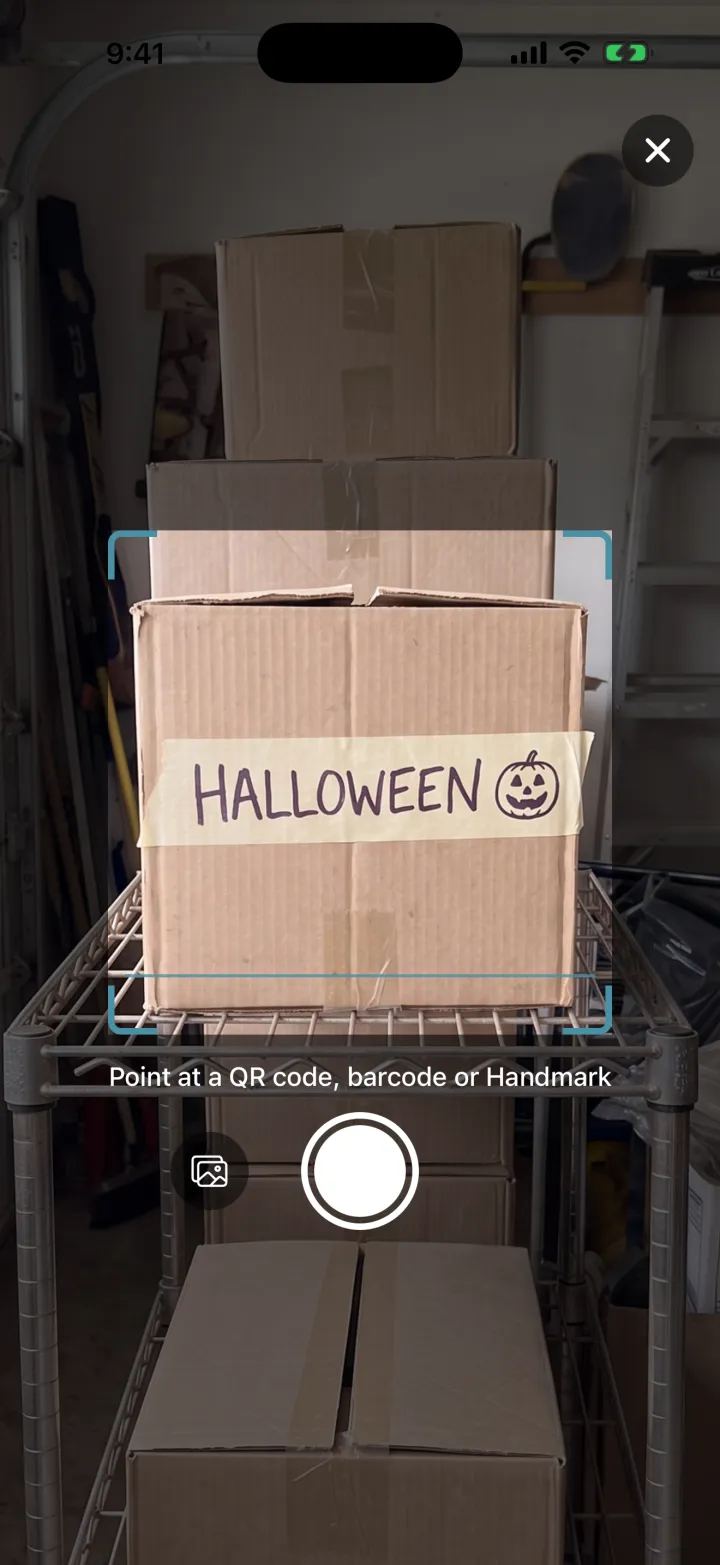
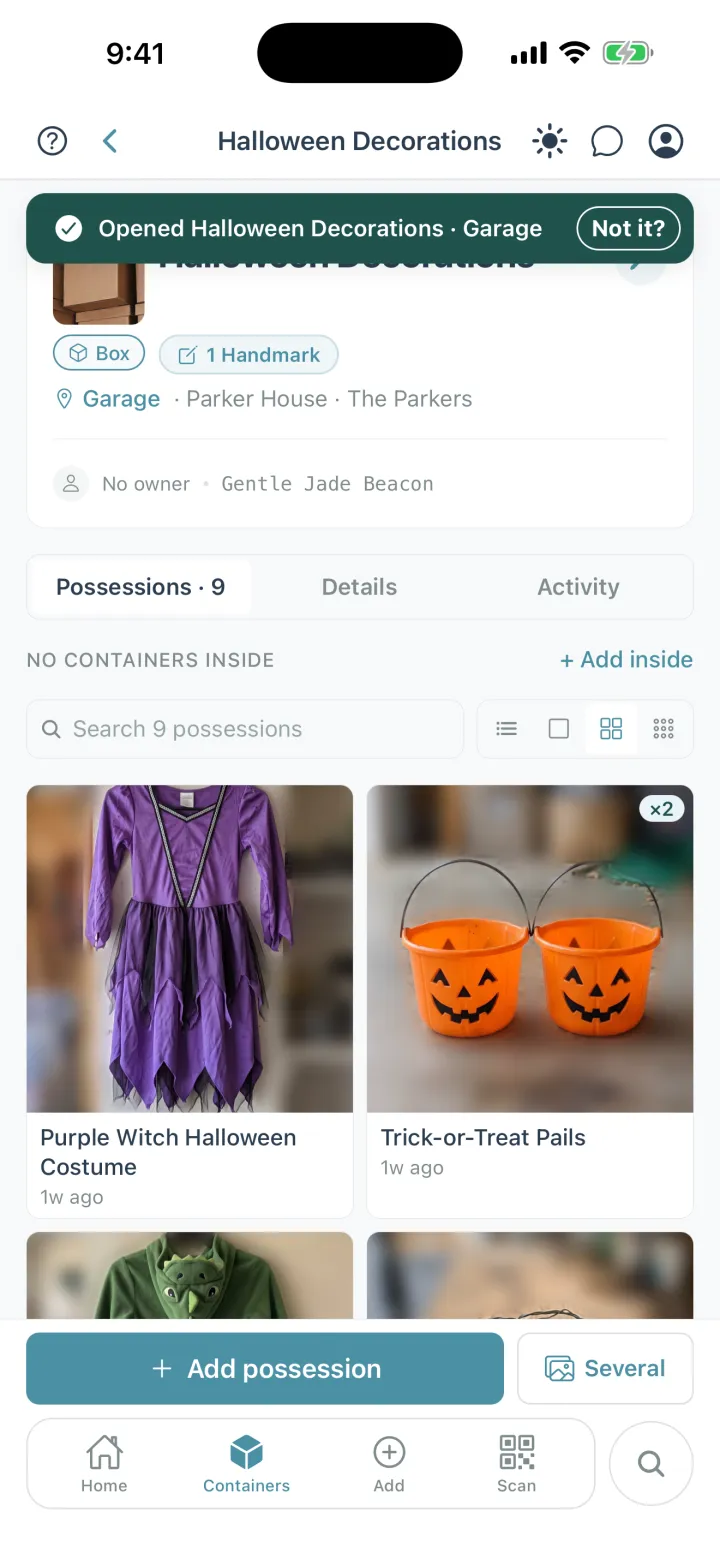
A label tells you what a container is called and whatever fits on it; Cratify knows every possession inside, and opens it when you scan the label you already wrote or a QR code you print.
Free forever plan · iOS, Android & web · No credit card
The HALLOWEEN tape on the box, and the nine possessions it opens in Cratify.
The short version
Where Cratify differs.
A label names a container. Cratify keeps track of what's inside it, where it is, and whose it is.
What's inside, not just a name
Every container lists the possessions in it, with photos and quantities. Containers can sit inside containers, in rooms and places.
Find it without opening anything
Search covers names, tags, containers, rooms, people and collections, forgives typos, and tells you which container to open.
Your household can look too
Share a room or a single container, as editor or view-only, and note whose each possession is. Sharing is on every plan.
Side by side
QR codes, Handmarks and paper labels.
What a label on a container can do for you, compared with labelling by hand or with a label maker.
Comparing Cratify, scanned by QR code or Handmark, with paper or label-maker labels
What to check
Cratify
Paper labels
What it tells youA name is a start. What you need is what's inside.
Every possession inside, with photos, quantities and who owns each one.
The container's name, plus whatever list fits on the label.
Finding one possessionThe hunt is for the extension cord, not the box.
Search across every container, and it tells you which container and room to go to.
Read labels until one looks right, then open it to check.
When the contents changeContainers get repacked. Labels rarely do.
Edit the list in the app. The label on the container never has to change.
Cross out and rewrite, or make a new label.
Scanning itThe quickest way from a container to its list.
Point Scan at a QR code you printed, or at the name you already wrote with Handmarks, and the container opens.
You read it, so it has to be legible from where you stand.
Containers inside containersA small box in a big box, on a shelf, in a closet.
Open any container to see everything inside it, all the way down, with totals.
Each label speaks for its own container.
Who can checkEveryone in the house should be able to find the camping gear.
Anyone you share the container with can scan it, or look it up in the app from anywhere.
Whoever is standing in front of it and can read the handwriting.
When a label wears outTape peels and marker fades, especially in a hot garage.
The list lives in the app, so a worn label costs you a reprint or a new Handmark, not the inventory.
The label is the only record, so you open the container to find out.
Setting upBe honest about the time it takes.
A photo per possession, or up to 15 at once with Multi-Scan (Lifetime). Then a QR code or Handmark per container.
Seconds per container.
What it costsCount the labels as well as the app.
Free for up to 250 possessions, and QR codes print on any printer. Handmarks need no labels at all; adding them comes with Lifetime, $49.99 once (a launch price rising to $99 on Dec 1, 2026).
A marker and tape, or a label maker and its tape.
“Paper labels” here means handwritten labels and label-maker labels in general. Plenty of people use both: keep writing on the box, and let Cratify turn that writing into a Handmark.
Fair is fair
When paper labels are enough.
A marker and a strip of tape have organized plenty of homes. Here's when that's all you need, and when Cratify is worth adding.
Paper labels are enough if…
You have a handful of containers, and the name says it all.
You're moving and will unpack within a few weeks.
You're the only one who needs to find anything.
You'd rather not reach for your phone.
Cratify earns its place when…
You store dozens of containers for months or years, in a garage, an attic or a storage unit.
You need one possession and don't know which container it's in.
Your household shares the space, and someone else needs to find it.
The contents change, and the label never keeps up.
You don't have to choose. With Handmarks, the label you already wrote becomes the code you scan.
New in Cratify · Handmarks · No labels to buy
No labels to buy. What you wrote is the label.
Many home inventory apps rely on you buying their QR labels. With Handmarks, whatever is already on a container becomes the code you scan: a strip of tape with a name on it, marker on the cardboard, or a kid's drawing.
Photograph the mark onceOpen the container and tap Add Handmark. Labeled more than one side? Add one for each side.
Point Scan at itThe same Scan button reads QR codes, barcodes and Handmarks.
It opens, with everything insideAnyone you share the container with can scan it too.
Adding Handmarks comes with Lifetime. Scanning a Handmark someone in your household added is free on every plan.
Rather have a code? Every possession and container also has its own QR code you can print on any printer, free on every plan.
Pricing
Free to start. Pay once, own it forever.
Your home isn't something you rent month to month, and knowing what's in it shouldn't come with a monthly bill.
Basic
$0 / forever
Start organizing today, no credit card
Up to 250 possessions
Up to 50 containers
2 locations, 5 rooms
50 AI scans per month
Sharing with your household
Print QR codes, and scan Handmarks your household adds
New accounts can try Lifetime free for 3 days first, with no card and no automatic charge.
FAQ
Questions people ask while comparing.
Are QR code labels better than paper labels?
It depends on how much you store. A paper label is quick and needs no phone, which is plenty for a few containers or a short move. A QR code links the container to a list of everything inside it, so you can search for a possession and change the contents without relabeling. With Cratify you can also skip printing: Handmarks turn the label you already wrote into the code you scan.
Do I have to buy QR labels to use Cratify?
No. With Handmarks, whatever is already on a container becomes the code you scan: a name on a strip of tape, marker on the cardboard, or a kid's drawing. Adding Handmarks comes with Lifetime, and scanning one someone in your household added is free on every plan. If you'd rather use codes, every possession and container has its own QR code you can print on any printer, free on every plan.
What can I use as a Handmark?
Whatever is already on a container: a strip of tape with a name on it, marker on the cardboard, or a kid's drawing. Photograph it once. After that, point Scan at it and that container opens with everything inside. Labeled more than one side? Add a Handmark for each side.
Can my household scan them too?
Yes. Anyone you share a container with can scan its QR code or Handmark and see what's inside. Sharing is included on every plan, including Basic, and scanning a Handmark someone in your household added is free on every plan.
Is Cratify free?
Yes. The Basic tier gives you 250 possessions, 50 containers, 2 locations, 5 rooms and 50 AI scans per month, free, with no credit card. When you need more, Lifetime unlocks everything for one payment of $49.99 (launch price, rising to $99 on Dec 1, 2026). New accounts can try Lifetime free for 3 days first, with no card and no automatic charge.
Is Lifetime a subscription?
No. Lifetime is one payment that unlocks unlimited possessions and AI identification, Multi-Scan, adding Handmarks, product barcode scanning and every future feature. It never renews.
More comparisons
Comparing something else?
Side-by-side pages for the apps and methods people weigh against Cratify.